ALK Digital Marketing

Balancing AI and Authenticity | My 2027 Digital Marketing Strategy

On a recent visit to the Midwest, I caught up with a few friends.

One friend shared that her husband was recently hired as an engineer for data centers. She admits to some uncertainty about the future of AI and humanity, but is content that their family’s financial well-being is assured. 

Another friend is a Creative Director at Target. He explained to me that Target heavily restricts the use of AI in creative projects for fear of public backlash.

Another is using AI to code an app that will help small hotels afford solutions to better serve their guests. As we chatted over dinner, he mentioned “it’s coding the app right now, while we eat”.

Another friend owned a Subaru with a bumper sticker of Calvin (from the comic strip Calvin and Hobbes) urinating on a data center. 

During my visit to middle America, and throughout this year, one thing has become increasingly clear: people have a lot of feelings about AI.

I sensed a generalized curiosity (sometimes fascination), but also cautious distrust (sometimes resolute opposition) to all things artificial intelligence. 

Many people didn’t want to discuss the topic at all. Merely hearing its mention among conversation could make some bristle.

A Year of Studying AI

Photo Courtesy of Bertelli Foto

But in a professional setting, so many of us act like AI is the first thing we want to talk about. To ‘stay ahead of the curve’. Every professional database is packed with information about how we’d be foolish not to use it in the day-to-day aspect of our jobs.

For the past few years, my industry has been shoved into AI. Every aspect of my job – from testing ad creatives and making social media content to optimizing content for search and analyzing data – has been AI-ified.

A nagging fear of being left behind, and the understanding that anyone who claims to be a ‘digital marketing expert’ should be at the forefront of this space, drove me ever-deeper into studying AI. 

I read books. I installed beta software. I attended webinars. And I experimented hungrily with AI in my work.

But my experiences experimenting with AI the past few years have brought me to a different conclusion than “wow, where has this BEEN all my life?!” Or “how could we ever live without AI in marketing going forward?!”

The AI Content Saturation Crisis

The speed and unrestricted nature of AI led to mass adoption, and therefore, mass output. All of this unchecked content production created a saturation crisis. 

It’s no longer resourceful to compile information from various articles that already exist online and present them in a new light and from a new perspective. It’s no longer impressive for a product to be displayed in an image with dewy drops of water in perfect lighting. 

We’ve all seen the tell-tale signs of AI in writing: em dashes, grouping ideas in triplets, formulaic transitions (“it’s not this, it’s that”), and cliché business summaries (“At X company, we believe…”).

We’ve all seen photos and videos on social media that at first glance appear works of art, bubbles and shining shells and stunning human faces in front of otherworldly backdrops, only to realize they were generated by AI. A strange shadow, an eerie perfection, a hand with 6 fingers… it’s just not quite what our real world is.

Google, social media and other search engines are now asking for authenticity and originality above all else. The hope is that prioritizing lived experience, proprietary data and fresh, human insights will help cleanse the mess of AI Slop we’ve all created.

Positive Impact for Business At the Expense of Humanity

Photo Courtesy of ALAMY

There are still certain tasks that undeniably have a net-positive impact for business, with little downside or public repercussion. 

Whether creating an app or editing a website, coding has never been easier with the help of AI. Google Ads “AI Advisor” helps answer complex questions, like breaking down multi-faceted performance issues. Shopify AI can rapidly analyze POS, website and wholesale product sale data to develop strategic plans for restocks and pricing.

But in many of these instances, those tasks were done by humans in the past. Many of those human jobs are at risk.

As of mid-2026, artificial intelligence was explicitly cited in 87,714 US job cuts during the first five months of the year alone, according to layoff tracking data highlighted by CNBC. The Walt Disney Company laid off roughly 1,000 employees in April 2026, citing the need for a more “agile and technologically-enabled workforce”. 

And where jobs were not lost, work may have been stolen. As of March 2026, Harvard Magazine reported that more than 70 copyright infringement cases are currently caught up in US courts against AI tech companies.

And then there’s the tiny factor of our global environment. Data centers contribute to pumping water out of ancient underground aquifers faster than they can be refilled, competing with local residents for access to freshwater. Plus noise pollution, fossil fuel demands and more.

I – like many Americans – sit here and wonder, is it all worth it? 

Forced Micro-Steps Toward Containment

Many say this train has already left the station. In Mustafa Suleyman’s The Coming Wave, he explains many horrifying ways that AI could go wrong (especially in tandem with biotechnology). But he explains that it is immensely difficult to keep powerful general purpose technologies under human control (what he refers to as “containment”).

Most recently the EU has forced all of us in mass communications to pump the breaks with its own version of global containment. The European Union’s enforcement of Article 50 under the EU AI Act officially took effect on August 2, 2026, requiring global tech companies and platforms to visibly label and digitally watermark AI-generated text and images or face major fines of up to €15 million or 3% of their global annual revenue.

It has been a necessary time for contemplation and pause.

How I’m Adjusting My Clients’ SEO and Ad Strategies for 2027

As I’ve reflected on the past year’s experiments with AI, my own research, and my trip back to the Midwest, I’ve made some decisions on how I will adjust my client’s strategies, as they relate to AI, for 2027:

  • SEO strategy
    • In 2026, I focused on making my clients’ existing and new content more digestible for robots (robots.txt, schema markup, listicles, FAQs, etc.)
    • In 2027, I’ll be focusing on my clients’ human insights instead (especially in heavily content saturated industries like tourism)
      • I plan to use my journalistic training to interview my clients to gather more personal experience to inform their content
      • The challenge becomes how we tie in their personal experiences and human insights into what people are searching for or what people care about
    • I’ll also be performing regular “Sanity Checks” to prompt AI Answers for comparisons about my clients vs their competitors. If the response yields insights on how my client can better compete, I will recommend these changes.
    • In fields that are not yet oversaturated (such as local architecture), traditional SEO strategies will still perform.
  • Ads
    • I will continue using Google Ads’ AI-driven campaigns, such as Performance Max and Demand Gen, where AI helps inform which creatives perform best and on which channels, based on the setup goals.
    • I will NOT use AI for Meta Ads. I tried it briefly this year and was unsurprised that AI features did not assist in ad performance. I still feel these features have a long way to go and markedly perform worse. I will be toggling off!
    • I went back and forth on ChatGPT for a while. But in ads, any widely used, low competition space is worth pursuing. I am in the process of starting up a ChatGPT campaign for one of my clients now and look forward to reviewing its performance.
  • Content & Idea Generation
    • I remain incredibly cautious when using it for image generation or utilizing generative features for editing. I screenshot to avoid digital watermarks. I do this sparingly and only as a last resort.
    • I am working to ween myself off of AI generation for writing. I have been writing professionally for most of my life. I use AI now mostly only for writing social media captions, where the sheer volume dictates that less time be spent, as well as ads, where AI can shift through creative variations more efficiently than any human ever could. I will allow sufficient time for human text generation for web pages and blogs.
    • I always sit alone with a note pad and no technology while I am brainstorming any creative content: ad campaigns, social ideas, etc. While AI can help with writer’s block, I still feel that a blank slate and a free-flowing pencil are the best tools we have to come up with truly unique and human ideas.

AI vs. Human Content

Photo Courtesy of Tara Winstead

I chose to write this article with my own two human hands, keyboard finger-strike by keyboard finger-strike, without so much as a query of AI support.

Could I have done something more useful with the 4 hours I spent writing this? Will my human-written article perform even better than the one I could have swiftly produced from a bullet-point outline with the help of ChatGPT?

This blog is a bit rambling. Maybe not my best work. But it’s mine. It’s human. 

And despite every development, every new tool, every financial assurance, and every feeling we’ve all had about AI this year, it seems that we all still crave proof of humanity in the world.
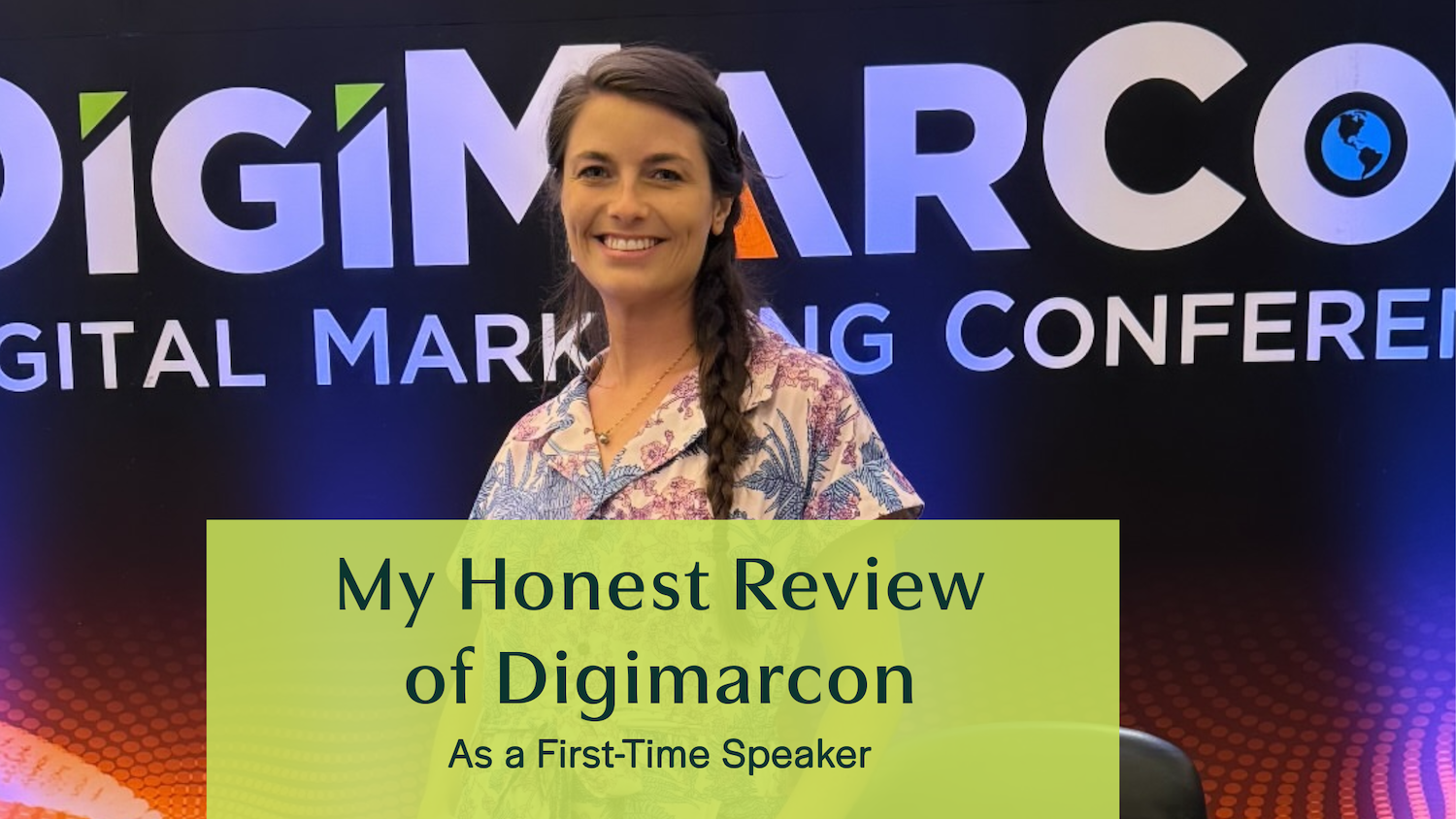
My Honest Review of DigiMarcon Honolulu: Behind the Scenes as a First-Time Speaker

honest review of digimarcon honolulu


Asa first-time speaker at DigiMarcon Honolulu in 2024, I’m sharing with you what the experience is like, the pros and cons, lessons learned, and what speakers and attendees should know before saying yes or booking tickets.

What is Digimarcon?

DigiMarcon is described on its website as the world’s largest Digital Marketing, Media & Advertising Conference & Exhibition Series, with over 40 events annually across more than a dozen countries. It is an event for gathering industry professionals to share strategies, emerging technologies, and marketing best practices.

DigiMarcon Hawaii (or Pacific) takes place in Honolulu, typically at the Hyatt Regency Waikīkī Beach Resort & Spa. It promises a packed two-day program of keynote speakers, real-world case studies, networking, and insights into AdTech, MarTech, SaaS, and more

Why I Participated (and What I Was Offered)

  • In July, 2024, I received the following LinkedIn message from a man named Ben at DigiMarcon:

    “We have an open speaking slot for our upcoming Hawaii conference on July 18 – 19, 2024, at the Hyatt Regency Waikiki Beach Resort & Spa. We’d love to invite you to join us as a solo speaker or panelist. We are pleased to offer you the following speaker package:

    • A session speaking slot on the main stage (not a breakout) focused on an approved digital marketing topic
    • A one-day VIP Speaker Pass granting full access to the event, meal & two complimentary drink tickets
    • A Media Partner Branding Package, which includes acknowledgment and your company logo displayed on our event website, app, and social media messages

    Please note that this is a complimentary speaker package with no cost involved. However, sponsorship requirements have been waived and it is a non-paid speaking engagement. You will be responsible for your own travel and accommodation arrangements if required. If you are interested in participating as a speaker, kindly send us your proposed presentation title and description (one paragraph) as soon as possible.

    To ensure relevance to our audience of senior marketing management professionals, all presentations must focus on digital marketing topics such as Content Marketing, Social Media Marketing, Video Marketing, Search Marketing, Mobile Marketing, Digital Strategy, or Marketing Automation. After looking over your proposed presentation title and description, we will send you a link to our online Speaker Agreement for you to make arrangements for finalization.

    Please let us know as soon as possible if you would be open to considering this opportunity. If you have any questions or concerns, feel free to contact me. We look forward to your response.”

Jonas brother at Digimarcon

My first thought was that it might not be a real conference. Or that it was spam.

But it was my first request for public speaking, which I was eager to do, so I looked into it. I googled DigiMarcon and DigiMarcon Honolulu to check out their websites. I learned that it was a global conference with events around the world. Some of the photos showed celebrities, such as Kevin Jonas from the Jonas brothers. Some events looked bigger and more successful than others.

After watching videos of past conferences and reading some reviews, I was convinced that it was a real conference. I didn’t recognize any of the current speakers listed for the Honolulu event. But speakers from other previous events included reps from Meta, Microsoft and other reputable agencies. Another sign that it was a legitimate event was that it was hosted at the Hyatt in Waikiki.

Still, the biggest sign that it wasn’t a successful event was that they were reaching out to me (a digital marketer who had no demonstrated track record with public speaking) and were not offering any payment. And they were reaching out with only 2 weeks’ notice asking me to prepare a 45-minute presentation.

Still, I figured it was worth the exposure, so I accepted and prepared my masterclass:

“Title: The Evolution of Google Ads: Demystifying Performance Max
Description: In my presentation, I will explore the evolution of Google Ads, emphasizing the shift from traditional Search Ads to the innovative AI-driven Performance Max campaigns. With accounts leveraging Performance Max experiencing an average 13% increase in conversions, the critical question is: are they always the optimal choice? We’ll delve into the distinctions between these campaign types, backed by real-world case studies, and provide actionable insights on when to utilize each for maximum impact. Join me to navigate the complexities of modern Google Ads and elevate your campaign strategies.”

Conference Day: What I Saw

Set-Up & Audience

The event looked professional: a manned check-in, tech support, banners, swag bags, and a speaker pass.

But attendance was sparse. There were maybe 30 people by my count on the day that I attended. I was surprised even that many real attendees had come, with conference tickets ranging from just under $500 to just under $1,000. Despite the low turnout, they were engaged, diverse in industry, and eager to learn.

Speakers & Atmosphere

I wasn’t alone in taking the opportunity for exposure. One speaker even had his daughter photographing him mid-presentation. But everyone truly delivered their best. Meg Hall, who presented before me, gave an engaging interactive presentation with a worksheet to help attendees determine what sets their brand apart and how to sell it, addressing pain points and problems solved. Topics ranged from SEO to branding and more, and attendees asked thoughtful questions.

My Session

When it came time to give my speech, I was a little nervous. I happened to be on crutches at the time due to a recently broken leg, so hobbling up onto the stage didn’t exactly make me feel a rush of confidence. But once I began, the nervousness faded. The audience was very attentive, especially to the bonus tip at the end, and many scribbled notes. The questions afterward were sharp and showed real attention. Watch the recording of my presentation here.

Networking

My personal favorite part of the event was the post-session cocktail hour. The food and drinkswere good. I connected genuinely with attendees, fellow speakers, and even walked away with a lead. For the speakers, the major value of the conference came in the conversations and networking, not the presentations.

The Video Letdown

We were filmed and told we’d receive recordings within a month, but they didn’t surface online until well over six months later, and I was never notified. That was very disappointing for me. 

2025: A Different Offer

This year, Ben reached out again, but with even less notice (less than a week). And the speaker package had been downgraded (no meals, drinks, or parking). 

So I respectfully declined, suggesting they reach out earlier next time.

Final Verdict: Is DigiMarcon Honolulu Worth It?

Pros:

  • It’s real.

  • Highly engaged audience.

  • Networking that turned into business opportunities.

  • A personal confidence-builder (and resume-builder).

Cons:

  • No payment

  • Heavy prep.

  • Late invitations.

  • Low turnout for a “main stage.”

  • Unrealiable video delivery.

How DigiMarcon Honolulu can improve

DigiMarcon needs better speaker management. Speakers should have one month’s notice, at a minimum. Ben is trying his best, but he is always late and slow to respond when help is needed. 

It is not marketed well. When I shared that I was invited to speak, no one I talked to in the digital marketing space had heard of the event.

This goes without saying, but paying their speakers and experts would lead to better speakers with greater expertise. At the very least, they should cover payment, meals and cocktail hour.

Who Might Benefit?

If you’re early in your speaking journey or aiming to build credibility, DigiMarcon Honolulu can be a worthwhile gamble, especially for the in-person connection and the “speaker” credential.

But if you’re experienced and your time is high-value, it’s probably not a good fit for you.

Allison Kronberg, owner of ALK Digital Marketing

Looking for a public speaker in digital marketing?

I love sharing my knowledge at networking events. Reach out today to inquire.

2025 Instagram Updates: Reposts, Friend Map, Friends Tab & Google Indexing (How Marketers Can Win)

2025 Instagram Updates Marketing Use Cases


Instagram shipped a stack of features in August 2025 that changed how content spreads, how friends influence discovery, and how brands can show up in Google Search.


Below, I break down what’s new, why it matters for business accounts, and step-by-step ways to turn each update into reach, insight, and ROI.

1) Reposts to Feed (with a dedicated “Reposts” tab)

Instagram Reposts

 Users can now repost public posts and reels directly to their own feed. Reposts live in a separate tab so followers can browse everything you’ve shared. About FacebookInstagram

Why marketers should care: Reposts create a built-in amplification loop. If you publish content that’s “repost-able,” you can earn secondary distribution from fans, partners, creators, and employees without ad spend.

How to use it:

  • Design for sharing: clean carousels, snackable tips, quote cards, checklists, and timely takes.

  • Ask for the repost: include a CTA in captions (“Repost if this helped”), especially for launches, UGC spotlights, contests, and community initiatives.

  • Create partner kits: pre-sized assets + caption starters for ambassadors and retail partners to repost quickly.

Measure it: Track repost volume, profile visits from reposts, and downstream follows/saves from those visits.

2) Friend Map (opt-in location sharing with friends)

What it is: Instagram added an optional map so people can share their location with selected friends, accessed from DMs. It’s off by default and requires explicit opt-in.

Why marketers should care: For local businesses (hospitality, venues, restaurants, attractions), location-tied content and events can spread through friend networks. If your content inspires visits, friends can discover your spot organically via the map and related reels.

How to Use it

  • Tie reels to place: clear geotags, recognizable exteriors/interiors, and “What to do/order/see”.

  • Promote friend-worthy moments: photo walls, tasting flights, and live music experiences people want to share with friends.

  • Publish time-bound hooks: “This weekend only,” “Happy hour 3 – 6 pm,” with location in the first 3 seconds of your reel.

    Note on privacy:
    This feature sparked safety and privacy debate. Keep CTAs respectful and avoid pressuring people to share live locations; focus on value and consent.

3) New Friends tab in Reels (Your Friends’ Activity)

What it is: A dedicated tab in Reels that surfaces content your friends liked, created, reposted, or commented on. It’s essentially a social signal firehose.

Why marketers should care: It’s a real-time trend radar. You can see what your community interacts with and calibrate your creative to match emerging formats, hooks, and sounds.

How to Use it

  • Weekly swipe-through: list trending hooks you see (“3 things I’d do differently…”, “POV: …”), then draft 2 to 3 riffs for your niche.

  • Save patterns, not just posts: opening two seconds, on-screen text style, camera framing, transitions, and CTA phrasing.

  • Build a “Friends-inspired” content bucket in your calendar and produce fast—trends have half-lives.

4) Instagram content gaining Google visibility (indexing of public posts)

Instagram in Google Search

What’s happening: Instagram has been expanding access for search engines to index public posts in more regions, which means your content can appear on Google for relevant queries. Multiple industry reports tracked the rollout through July 2025.

Practical translation: treating Instagram posts like mini landing pages (keywords, alt text, descriptive captions) can now pay off in traditional search.

How to Use it

    • Caption SEO: Put the primary keyword in the first 1 – 2 sentences; add 2 – 3 semantic variations naturally.

    • Alt text: Write human-readable descriptions that include the product/place/benefit keywords.

    • On-image text: Keep it legible; Google can interpret text in images. Clarity helps.

    • Entity cues: Use proper names (brand, product, city/neighborhood, venue) and consistent NAP on profile.

    • Link hubs: Add Link in Bio to route search traffic to relevant pages (product, menu, bookings).

    • Content clusters: Publish multiple posts around a topic (e.g., “Kaka‘ako brunch,” “Kaka‘ako coffee,” “Best brunch in Kaka‘ako”) to build topical relevance.

    (Background: Instagram’s help docs historically limited indexing, but reporting indicates broader access in 2025. So treat this as an opportunity and monitor your branded SERPs and Search Console “Discover” traffic.)

What Does the Google Antitrust Case Mean for Digital Marketing?

What Does the Google Antitrust Case Mean for Digital Marketing?


When someone wants to search for something, they often say, “I’ll Google it.” But that could change someday.


In August, a judge ruled that Google and its parent company, Alphabet, illegally operated a monopoly to dominate the search engine market. Google is expected to appeal.


Like many digital marketing experts, I heavily rely on Google products. Nearly all of my clients use at least one Google account. For most of them, Google — whether through organic traffic or paid ads — accounts for a significant portion of referred revenue. Daily, I log into Gmail, search via Google, review Google Analytics, run Google Ads, and optimize Google Business Profiles. And that’s not even considering Chrome, YouTube, Google Workspace, and more.


Naturally, I’ve been wondering: What does the Google Antitrust Case Mean for Digital Marketing when experts and their clients are so dependent on Google? I’ll explore that question in this blog.

A Quick Summary of the Google Antitrust Case

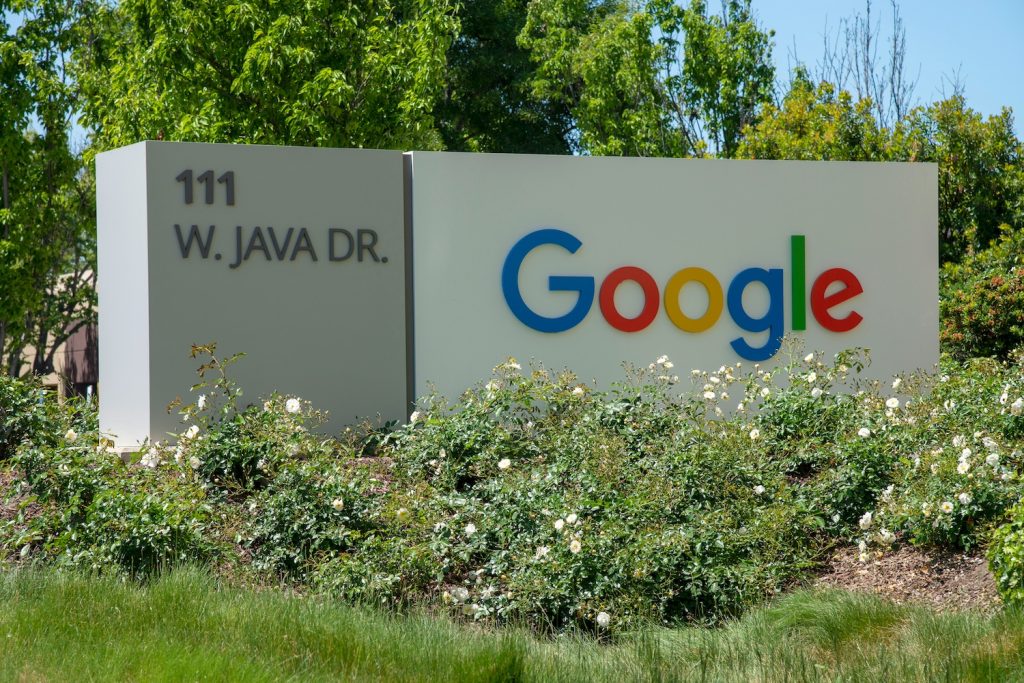
Google Sign

The landmark antitrust case against Google, filed by the U.S. government in 2020, alleged that the company maintained its dominance in the search market by creating strong barriers to entry and a feedback loop that sustained its monopoly, according to CNBC. 


Judge Amit Mehta ruled that Google violated antitrust laws by striking exclusive deals with device makers like Apple and Samsung. Google paid billions to ensure its search engine was the default on their phones and tablets. During the trial, it was revealed that Google paid companies, including Apple, over $26 billion in 2021 alone to remain the default search option in Safari. These deals allowed Google to build and maintain a monopoly while unfairly suppressing competition, according to Mehta’s ruling.


Some legal experts believe the court may require Google to end certain exclusive agreements.


What We Can Learn from the 1999 Microsoft Antitrust Case

Google’s case has drawn comparisons to the historic antitrust lawsuit against Microsoft in 1999.  According to the FTC, the U.S. Department of Justice accused Microsoft of using its monopoly power in the operating system and browser markets to stifle competition. By making it difficult to install competing software while bundling its Internet Explorer browser with Windows, Microsoft unlawfully maintained its dominance.


The DOJ initially sought to break Microsoft into separate companies, each focusing on different areas, like operating systems (Windows), software applications (Office), and internet services (MSN). However, Microsoft appealed, and in 2001, the case was settled. Microsoft agreed to stop tying products to Windows, share key software interfaces, and submit to years of government oversight.


The DOJ claims the Microsoft case paved the way for Apple — on the verge of bankruptcy at the time — to expand with its iTunes store and eventually launch its groundbreaking product, the iPod. The settlement also fostered an environment for innovation, crucial to Apple’s later success, including the development of iOS and macOS.


In fact, IBM’s 1969 antitrust case helped Microsoft emerge as a dominant player. Each tech antitrust case has ripple effects, often paving the way for startups to become industry leaders.


How Google’s Antitrust Case Could Impact the Digital Landscape

User works on laptop


Whether or not the court orders Google to end its exclusive search browser deals, other search engines that have long been on the sidelines may find new opportunities to innovate as Google faces increased scrutiny.


Yahoo, once the largest search engine, prides itself on a unique search experience. DuckDuckGo is known for its commitment to user privacy. Meanwhile, Bing stirred the industry by releasing one of the first widely used AI-powered search bots in February 2023.


There’s also room for growth in the AI search space. Google has introduced Gemini and AI overviews to compete with Microsoft Copilot (formerly Bing Chat), ChatGPT, and others. It’s a fast-moving competition with significant implications for how we find information in the future.


If other search engines or AI chatbots gain more prominence, it could lead to lower CPCs for search ads. However, it could also result in a more fragmented search landscape, making it harder for digital marketers to track and analyze data. With Google Analytics (GA4) and Google Search Console currently dominating traffic analytics, this could complicate the data.


How Digital Marketers Can Prepare

SEO Letters

When it comes to SEO and search advertising, stay agile. Continuously update your strategies to align with the latest search optimization guidelines, as the search landscape will continue to evolve — whether Google retains its dominance or not.

It may also be wise to create business listings across other platforms, similar to Google Business Profiles. Bing, for instance, uses Bing Places for Business, while DuckDuckGo sources business data from Apple Maps. If your budget allows, consider testing Bing or Yahoo search ads, especially if the market shifts. And don’t rule out the emergence of new advertising platforms.

Even if Google loses its search monopoly, many other search engines use similar algorithms. A well-optimized SEO strategy for Google should also perform well on other platforms. As AI continues to influence search, be ready for its potential impacts on the digital marketing landscape. 

Antitrust cases are meant to benefit businesses and consumers by fostering innovation and competition, as seen in both the Microsoft and IBM cases.


We can’t be certain of the outcome for Google, but change is undoubtedly coming to search. As digital marketers, we must stay prepared and embrace what comes next.

Search vs Performance Max Campaigns for Google Ads

Graphic Design: Search vs Performance Max Campaigns

When I first began managing Google Ads campaigns for clients, it was pretty straightforward. I would perform keyword research, write effective search ads, consider targeting and display expansion and then move onto optimization. 

However, Google Ads has evolved dramatically in recent years, leading users and managers to reconsider the balance between manual control and algorithmic management. 

One of the most significant shifts is evident when comparing traditional search ads to the innovative AI-driven Performance Max campaigns. 

While Google Ads reports that accounts with Performance Max campaigns boast an average 13% increase in total incremental conversions, the question remains: are they always the best choice? 

In this article, we’ll delve into the distinctions between Google Ads Search vs Performance Max campaigns and provide insights into when to leverage each. 

A Brief History

Google’s roots lie in search, with users typing keywords like “Plumber Services” and Google presenting relevant results on its Search Engine Results Pages (SERP), known as organic listings. 


However, achieving visibility in organic listings was time-consuming, leading to the inception of Search Engine Marketing (SEM) in 2000, a cornerstone of Google Ads (then AdWords). 


Search Ads empowered businesses to secure better search result visibility through sponsored listings. Then Google gamified the ad-building process, assessing everything from keyword relevance to landing page quality to ensure a positive user experience.


Understanding Search Ads

Search Ads Example

Search ads are primarily text-based and target users searching for relevant keywords. They comprise headlines, descriptions, and various extensions (such as phone numbers or website links). 


Goals for search ads range from driving website traffic to increasing sales, with targeting options including keywords, geolocation, and audience lists. Google has advanced search ads over time, introducing features like algorithmic image generation and Responsive Search Ads.


And while Google’s Display Ads also offered advertising on the Google Display Network with graphic design or video ads, there wasn’t yet any campaign type that could do it all. 


Introducing Performance Max


Launched in 2021, Performance Max campaigns represent the evolution of Google Ads, offering a comprehensive approach across multiple platforms. 


They had all of the same assets that Search Ads had, plus new videos (including new template videos), logos, and various dimensions of images. Instead of needing a graphic designer to put together a display ad, the algorithm would simply combine all the assets provided into a preset design structure made for various placement options.


Placement options extended beyond traditional SERP or display network placements, encompassing all of Google’s diverse network, including Search, Gmail, YouTube, Google Search Partners, and Google Maps.


Similar to Search campaigns, Performance Max campaigns offer robust targeting options, encompassing keywords, geolocation and audience lists. But Performance Max campaigns also leveraged powerful, algorithm-driven audience signals to enhance targeting precision.


Case Studies

In late 2023 I began working with a regional travel industry client that had been running smart campaigns (simplistic, fully-automated campaigns) for about a year. As with many companies running only simple campaign structures, their returns were barely positive.

When I learned that they had an untapped budget to make use of on Google Ads, I recommended a multi-stage shift to Performance Max campaigns. From Q3 2023 to Q1 2024, the account has seen 4 times revenue increases and 6 times the return on ad spend with the addition of Performance Max.

Performance Max performed well because the account had previously established clean revenue and conversion reporting and quality media to work with. 

On the other hand, I once inherited an account with Performance Max campaigns that were not performing well. The company struggled with underperforming Performance Max campaigns due to suboptimal asset utilization, budget constraints, and messy conversion setups.

It’s important to be aware that Performance Max is driven by artificial intelligence. And artificial intelligence is only as good as the data we feed it. If you have a broken system to start, it will stay broken when you introduce Performance Max.

Summary: Search vs. Performance Max Campaigns

In summary, here are some considerations for when you should work with Search vs. Performance Max campaigns on Google Ads:


Performance Max Campaigns:

  • Particularly effective for visually oriented products or brands.

  • Suited for businesses with compelling image and video assets.

  • Requires a longer timeframe to establish historical data but can yield significant results with medium to high budgets.

  • Best for accounts with a well-optimized existing account and previously established conversion reporting that meets the company’s goals.

Search Campaigns:

  • Are ideally run before Performance Max campaigns in order to determine which keywords are most effective for use in Performance Max ‘Audience Signals’.

  • Best suited for companies with smaller budgets.

  • Best suited for accounts with specific keyword targets, conversion actions, and keyword-optimized landing pages.

  • Best suited for less companies and products that are less visual.

Why You Should Work With a Paid Ads Manager

Effective campaign management requires technical expertise, particularly in conversion reporting and budget planning. Professionals often yield superior results, leveraging experience and access to specialized tools and support.

In conclusion, understanding the nuances between search and Performance Max campaigns is crucial for devising a robust Google Ads strategy. By leveraging the unique features, targeting options, and asset capabilities of each campaign type, digital marketers can optimize their advertising efforts and drive tangible business outcomes.

The Ultimate Guide: Marketing a Google Workspace Add-On

The Ultimate Guide for Marketing a Google Workspace Add-On

As a digital marketing freelancer, I’ve crafted marketing strategies for diverse industries, ranging from tourism to nonprofits and healthcare. However, the most distinctive and innovative space I’ve ventured into involves marketing services for Google Workspace Add-Ons.

Over the past few months, I’ve been strategizing and consulting on marketing approaches for my client, John, who owns Automagical Apps. He graciously agreed to be featured in this article.

Initially, while I had a grasp on Google Workspace products like Google Docs, Gmail, and Google Drive, I wasn’t well-versed in Google Workspace Add-Ons.

In essence, these add-ons are third-party applications that seamlessly integrate with various Google Workspace applications, enhancing efficiency and simplifying tasks for business owners. Many offer free plans and the option to upgrade to subscription-based models for advanced features. These applications are accessible through the Google Workspace Marketplace.

For example, Automagical Apps has developed popular tools for one-click translations of Google Slides, transforming Google Drive files into Google Forms, and more.

When I began collaborating with John, I scoured publications by marketing experts for resources on raising awareness about Google Workspace Add-Ons, building traffic, devising subscription strategies, managing reputation, and optimizing listings. To my surprise, I found very little information. A quick Google search for “google workspace add-ons marketing” yielded no results on performing traditional digital marketing for a Google Workspace product.

Given the scarcity of shared knowledge online, I aimed to create a comprehensive guide for other marketers and Google Workspace developers to reference.

Publishing a Google Workspace Add-On

To be clear, I am not a developer. The purpose of this article is to advise on marketing for Workspace Add-Ons, not building or publishing them. 

With that said, the first step to marketing a Google Workspace add-on, of course, is to get it published on the Google Workspace Marketplace. Tidis Ventures has created a fantastic Complete Guide to Publishing a Google Workspace Add-On that I recommend reviewing if you are starting from scratch. The steps break down in the following way:

  1. Review your app to be compliant with Google’s guidelines
  2. Create a standard Google Cloud Platform project
  3. Set up the Oauth consent screen
  4. Create a Google App Script project & Deploy your app
  5. Enable Google Workspace Marketplace SDK
  6. Create a store listing
  7. Publish Oauth consent screen for review
  8. Making the Oauth consent screen video
  9. Publish your store listing and app for review

Google also has guides for building add-ons and publishing add-ons.

Understanding the Google Workspace Marketplace

Screenshot of the Google Workspace Marketplace

Before we go any further, it’s important to understand the setup of the Google Workspace Marketplace. 

What we now know as Google Workspace (formerly GSuite) was introduced in 2006. The Google Workspace Marketplace launched in 2010 as an online store for free and paid web applications that work with Google Workspace services and third party software. 

Add-On product listings are organized in the following way:

Home

The default landing page is the Home page, which displays 2-3 featured apps in each of the Editor’s Choice Categories below.

Editor’s Choice

  • Intelligent Apps: These apps are AI-powered apps to help you work smarter and save time.
  • Work from everywhere: These apps help your organization be more productive.
  • Business essentials: These apps help increase workflow productivity.
  • Apps to discover: These apps are new and innovative.
  • Built by Google: These apps are built by Google.

Learn more about how to get featured on Editor’s Choice.

Top Charts

  • Most Popular: Organized by number of installs.
  • Top Rated: Organized by average star rating, with number or reviews and recency of reviews being additional factors in positioning.

Categories

  • Business Tools
  • Productivity
  • Education
  • Communication
  • Utilities

Within each category, users have the option to filter by Workspace App compatibility (Google Docs compatible, for instance), free or paid, and star rating. The Google Workspace Marketplace also allows users to search for apps by keyword. 

With the exception of Editor’s Choice, which is curated, where your add-on listing is placed on any of the above category pages is driven by an algorithm. Google’s algorithms tend to be quite complex, and the Google Workspace Marketplace is no exception. 

Considerations for Gaining Visibility on the Google Workspace Marketplace

From what I have learned, these aspects seem to be most important to consider when attempting to gain visibility:

  1. Number of Installs
  2. Average review rating
  3. App Compatibility
  4. Quality of Add-On Listing

Number of installs has a great impact on visibility, especially without Editor’s Choice selection. So the first priority for any new developer launching an add-on should be to maximize exposure and increase the rate of user installs.

Understanding the Google Workspace Marketplace

Screenshot of a Google Workspace Marketplace Add-On Listing

Your Google Workspace Add-On listing is your product page. And Google Workspace Add-On listings can be optimized for visibility within the Google Workspace Marketplace in similar ways to how ecommerce products might be optimized for visibility across Amazon marketplace or Google Shopping. 

Every Google Workspace Add-On listing has the following components:

  • Logo
  • Title and Brief Summary/ Description
  • “Works With”: A List of Icons for the Apps Supported 
  • Call to Action: “Install”
  • Average Rating, Number of Ratings & Number of Installs
  • How-To or Promotional Designs and/or Videos
  • Permissions
  • Reviews
  • Description
  • Additional Information: Pricing, Link to Developer Website, Support URL, Privacy Policy & Terms of service, Link to Report, Certifications, featured, etc.

Optimizing a Google Workspace Add-On Listing

Once a listing is published, developers should optimize it. As with product pages and website homepages, Google Workspace Add-On Listings should be optimized for user experience, traffic and conversion rate.

Branding

As with any product, recognizable branding builds consumer trust. Consider having a logo and brand guidelines professionally developed before launching your product. Ensure that your logo, screenshots, videos, website and description elements are consistent.

Optimizing the Title and Summary

Because Google Workspace Marketplace has search features, it’s important to optimize the title and description of your listing for keywords that they might search for. For instance, searching “pdf to google form” brings up Automagical Apps’ listing for Automagical Forms in the first position.

Another consideration is character limits. While character limits allow for more characters, developers should try to communicate the value of their product in the first 25 characters of their title and the first 80 characters of their add-on description, which is where the snippet cuts off on the category listing pages.

Here are optimization for titles recommendations from Google:

  • Use title case.
  • Avoid punctuation, especially parentheses, unless part of your brand.
  • Keep it short—15 or fewer characters is best. Long names may be automatically truncated in the Google Workspace Marketplace listing and elsewhere.
  • Don’t include the words “Google”, “Gmail”, or other Google product names in your add-on name.
  • Don’t include the word “add-on” in your add-on name.
  • Leave out version information. 

Optimizing Listing Visuals

Google Workspace Marketplace allows developers to upload images and videos to their profile that display to the user how their add-on works.

The graphics dimensions are 1,280 x 800 px. All videos should be 16:9 ratio and hosted publicly on Youtube.

The best graphics include:

  • Screenshots of the add-on in use displayed via a graphic design (one screenshot per slide)
  • Minimal text (two sentences or less to communicate the screenshot)
  • Large font size for easy legibility
  • Branded colors and text

Optimizing the Listing Description

The best descriptions for Google Workspace Add-Ons do all of the following:

  • Explain the value of the add-on within the first two sentences
  • Include trademark indicator wherever Google product names are mentioned (Example: Google Maps™)
  • Are organized into clear sections
  • Provide bullet points for features
  • Are less than roughly 1000 characters in length
  • Provide how-to instructions in 5 bullet points or less
  • Provide a few examples of who could make use of the add-on and what they could use it for
  • Provide at-a-glance pricing
  • Utilize emojis or visual elements sensibly

Here are optimization for description recommendations from Google:

  • Use sentence case (especially for buttons, labels, and card actions).
  • Prefer short, simple text without jargon or acronyms.

All of these details working together will help to grow traffic and convert users. 

Google Workspace Add-On Developer Website

Automagical Apps Website

In addition to fulfilling the requirements of a successful marketplace listing, Google mandates that developers have a website with specific publicly accessible information. This includes links to details about the developer, customer service support, and legal documentation like a privacy policy.

Given these prerequisites, most developers opt to create a comprehensive website to showcase their add-ons. This not only meets Google’s criteria but also serves as an additional channel for potential customers to discover your products.

Your website provides an adaptable online space where you can share extensive information beyond the constraints of character limits or style guidelines set by the Google Workspace Marketplace. It’s an opportunity to present your add-on in its best possible light, fostering trust and potentially enhancing user conversion rates.

Moreover, establishing a support center, whether integrated into your website or hosted elsewhere, is crucial. If you’re uncertain where to begin, consider leveraging tools like HelpCrunch, which streamlines the process of building a knowledge base that seamlessly integrates with your website.

As with any website, your site should be well optimized for user experience. Website design is its own beast. If you need help with designing a website, contact ALK Digital Marketing. 

The best Google Workspace Marketplace developer websites include:

  • Featured App(s)
  • Call to Action (Install and/or Learn More)
  • Selling Points, such as number of Installs or high rating
  • Featured Reviews
  • Use Cases
  • Support FAQ articles and how-to guides
  • Information about the developer

Monetizing Your Google Workspace Add-On

The Google Workspace Marketplace provides four pricing options: free, paid with a free trial, paid with free features, or simply a paid plan.

Most add-ons tend to lean towards either a paid plan with a free trial or a paid plan with free features. The free trial serves as the “hook” for an add-on, enticing users to explore the product before committing. Typically, users aren’t immediately ready to convert to paid users — they need persuasion.

Free Trials

For add-ons that can be quantified by usage per day or interactions, a smart approach is to limit usage before prompting a paid plan. If quantification isn’t feasible, offering a set number of days for a free trial is effective.

To determine the optimal usage or trial period, tracking your add-on’s installs and usage via an analytics platform like Google Analytics (now GA4) is crucial. John from Automagical Apps has penned an insightful blog detailing the rationale behind setting the cutoff for the Form Creator add-on’s free plan, worth exploring.

Paid Subscriptions

When contemplating the cost of a paid plan, consider whether your add-on caters mostly to individuals, enterprises (domain users), or a mix of both. Customizing pricing structures for each is key. Enterprise users often hold the most value, so prioritize offering them the highest value.

Conduct thorough competitor and product research to determine a fair price range that benefits users while maximizing your profits. Experiment with different pricing models and gather user feedback.

Understanding your audience is pivotal. Educators, for example, might have less disposable income for educational tools compared to an e-commerce business. Successful creators cater to both budget-conscious users and those seeking premium options.

Adaptable Pricing

If over half of your reviewers lament high costs, it might be time to reconsider pricing. An effective in-app conversion rate for IOS apps averages around 2%, so if less than 2% of your trials convert to paid users, reassess pricing strategies.

Communicate the value of your paid plans clearly to trial users and ensure they stand out or excel compared to competitors. Regular competitor audits are essential in this rapidly evolving space — adaptation is crucial for staying relevant.

Remember, discounts and promotions aren’t exclusive to retail industries! Google Workspace Add-On developers should explore timely promotions or reward loyal users with exclusive discounts.

Analytics

As a digital marketer, analytics will always be my favorite subject. All successful businesses need clear and insightful analytics. Operating without them is like driving blind. 

Google Analytics

Although your installs happen off of your website and on the Google Workspace Marketplace platform, the marketplace allows for Google Analytics connection to track app listing, user and installation metrics. You can read the full guide here. 

Google Analytics includes the following information:

  • How many visitors have viewed your app listing for a specific time period. 
  • The geographic distribution of visitors.
  • How visitors reach your app listing, for example, from a Google Search.
  • The average time spent viewing your app listing.
  • Install events that are created when users start and finish installing your app. These events let you determine how often an install process was aborted and how many installs were completed over time.

In addition to these add-on tracking events, I would also encourage developers to create an Analytics property for their websites. Together, these two Analytics properties will paint a picture of how users are interacting with your add-on from end-to-end.

For developers offering a paid plan, the next step would be to integrate usage info with your licensing or billing server. 

With billing and subscription information, you can adequately analyze pricing strategy and calculate crucial metrics like ROI and user conversion rate.

Note: If you have already installed Google Analytics tracking and are interested in linking with Google Ads, this is not yet supported with the current GA4 to Google Workspace Marketplace connection. It is a known issue that Google Workspace Marketplace appears to be working on resolving. If you own a Google Workspace Marketplace Add-On, I recommend reaching out to support to encourage them to keep this moving.

Google Search Console

Google Search Console is a tool that allows developers to measure a website’s Google Search traffic and performance, fix issues, and make a site shine in Google Search results. 

Google Search Console can only be integrated with a website, not Google Workspace Marketplace. But it provides key insights on the queries that users are searching in order to discover your website. 

These queries may identify opportunities, such as questions that can be answered from your support center, keywords that you may have potential to hold top rank for in search results or key phrases that could be bid on if you choose to perform paid advertising.

Optimizing User Communications and Email Marketing

All optimizations to pricing, promotions and research would be moot without effective communications in place with your users. 

You’ll want to carefully choose a customer relationship management tool based on price and the ability to support the type of automations you are looking for. For developers of add-ons, the ideal CRM should provide the ability to utilize an API or webhooks to create triggers for automated messages. 

For instance, when a user installs your app, a webhook will carry over that user’s email address into a pre-made segment for “New Users”, which will trigger automated emails. Again, I’ll point you to John’s fantastic blog for an overview of how he accomplished this with the tool Mailjet.

Ideally, your automated messaging would cover at least all of these bases:

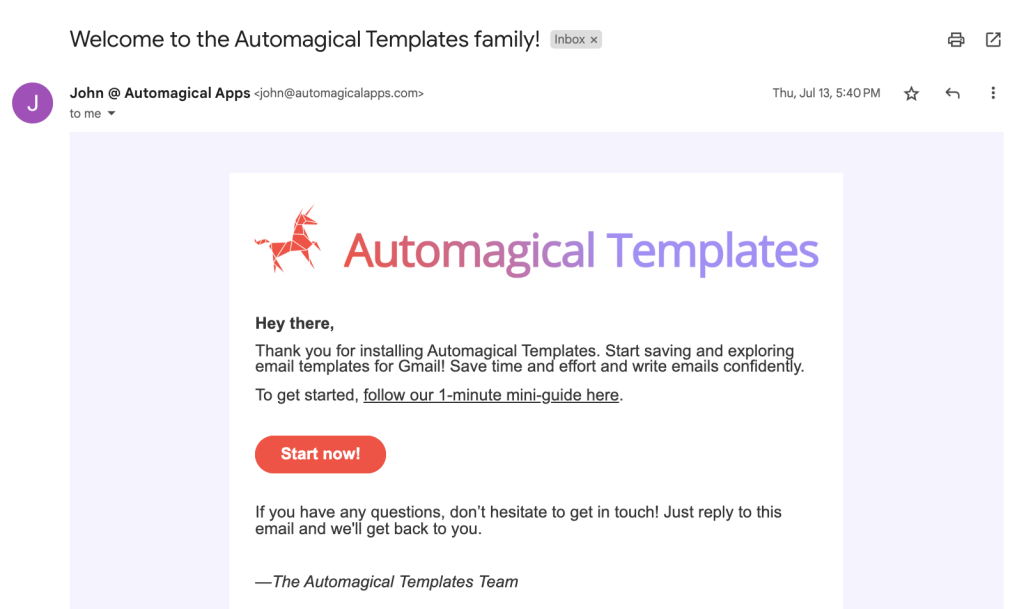
  • Initial Install Welcome Message 
  • In-App Calls for Reviews
  • Free Plan Expiring Message
  • Notifications for add-on updates
  • Upsells and Other App Info

For those who want to take it one step further, consider including an opt-in form on your website and starting up a semi-regular email newsletter. This newsletter can include tips on how best to use your add-ons, newly released add-ons, promotions and more.

Be sure to test your emails regularly to ensure they are performing as expected and lacking any errors.

Social Media Marketing for Google Workspace Add-Ons

Maintaining a semi-regular email newsletter proves highly effective in engaging supporters and sustaining awareness among potential users yet to convert. Another impactful strategy is establishing a robust presence across social media platforms.

In today’s landscape, we’re inundated with options for social media channels. Succeeding in this realm demands substantial time for engagement and community management, so it’s crucial to be discerning about the platforms you prioritize.

LinkedIn

As Google Workspace primarily caters to businesses and enterprises, leveraging a business-focused platform like LinkedIn is a natural fit. LinkedIn’s allowance for text-only posts alleviates the demand for graphics, unlike visually oriented platforms such as Instagram.

LinkedIn users seek educational content to enhance their skills, so ensure your content caters to their learning needs and aligns with your target industry audiences.

Meta (Facebook and Instagram)

These platforms boast widespread adoption, making it easy to establish and nurture a community. However, the heavy emphasis on visuals might pose a challenge for software or add-ons.

Moreover, Instagram’s algorithm demands consistent posting and active engagement. If this seems daunting, prioritizing LinkedIn might be a better choice. Yet, if you’re confident in your graphic design and content creation abilities and can commit to engaging relevant communities consistently, Meta and Instagram can effectively maintain awareness and foster a supportive following.

Social Listening

Even without a dedicated business social media account, it’s essential to regularly scour social platforms for individuals seeking solutions similar to what your add-on offers.

Communities on Reddit, Facebook, X, Threads, and elsewhere often voice frustrations matching the exact problems your add-on solves.

Encourage these users to explore your add-on through a free trial. Engage in conversations naturally and approach users as you’d want to be approached. Avoid any semblance of spam—aim to assist users in solving their problems rather than driving them away.

Paid Advertising

So let’s say an add-on that’s performing well on the Google Workspace Marketplace. You’ve successfully cultivated a community of engaged users and advocates through regular newsletters and active social media presence.

Currently, you’re converting users at a rate of 2% or more. However, you sense there’s still an untapped audience waiting to discover your product, and you don’t have the patience to wait for SEO or referrals to take you there. Plus, you have a budget to allocate.

This might signal that it’s time to venture into paid advertising. Platforms like Google Ads and LinkedIn Ads wield remarkable potential in broadening your reach to potential customers.

While I could delve into explaining the intricacies of setting up these ads here, it’s a topic that warrants a blog of its own due to its complexity. It’s best to entrust this aspect of marketing to a seasoned professional who specializes in such strategies.